
OdinFortune Online Casino App
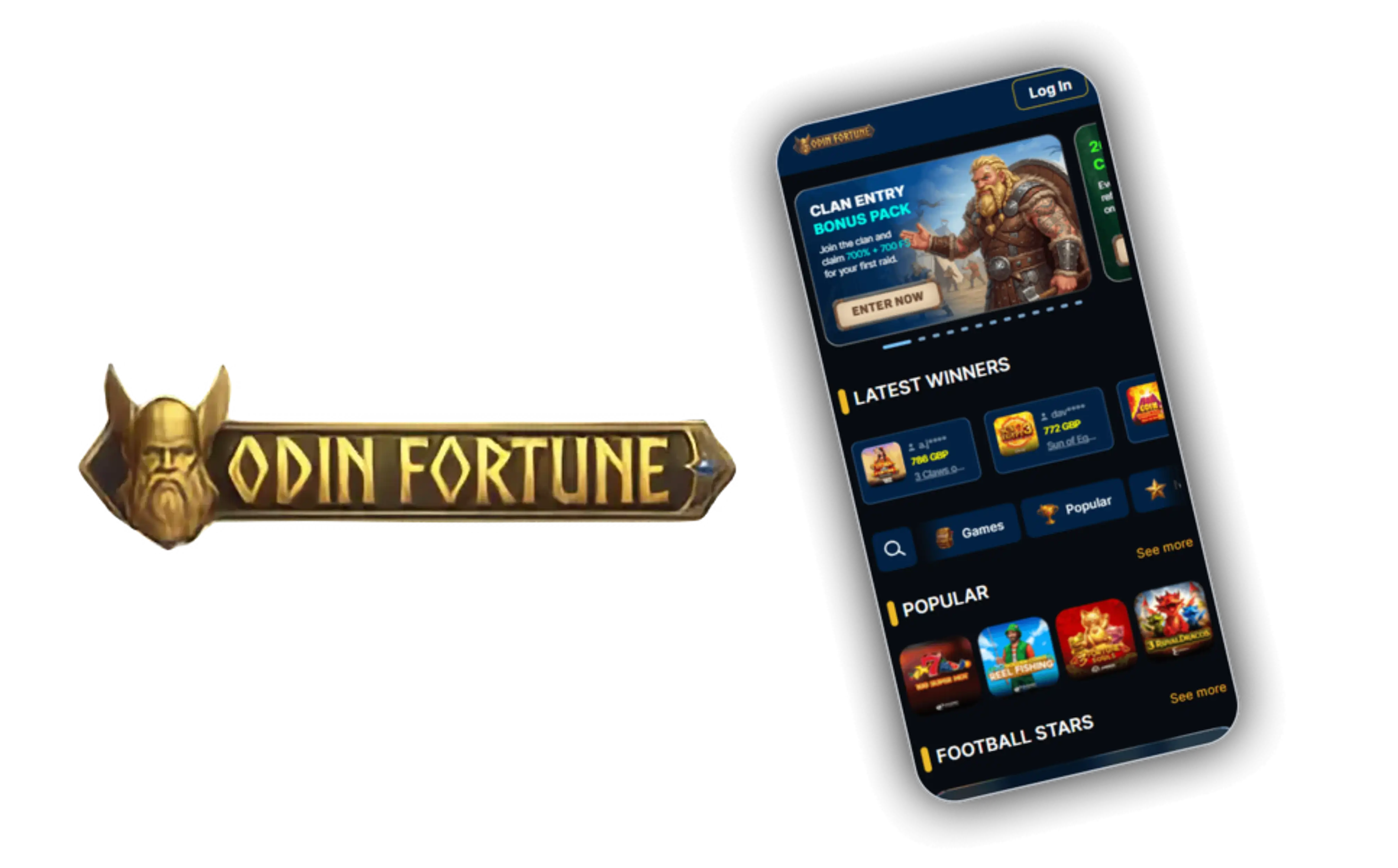

At OdinFortune, we know that most of our players want to spin the reels, catch a live dealer hand, or place a quick sports bet without being tied to a desktop. That's why we've built a mobile experience that brings the whole odin fortune casino library straight to your phone or tablet. Whether you're commuting, on a lunch break, or relaxing at home, our app keeps every slot, table game, and live stream within easy reach.
Here at OdinFortune Casino, we've focused on speed and simplicity. The app mirrors everything you'd find on the browser version - from our four-stage welcome package to the ongoing reload offers - but wrapped in an interface designed specifically for touchscreens. You won't lose any functionality by playing on mobile; if anything, navigating our lobby becomes faster.
What Makes Our Mobile Platform Stand Out
We built this app around three priorities: speed, clarity, and stability. Here's what you'll notice right away:
- Fast loading times even on slower mobile connections
- A redesigned navigation bar that groups Casino, Live Casino, Sport, and Mini Games into easy-to-reach tabs
- Full access to missions, the in-app store, and our referral programme
- Push notifications for reload days, cashback drops, and VIP level-ups
- Secure, encrypted sessions for every login and transaction
OdinFortune's mobile build is essentially a condensed version of the full desktop site, not a stripped-down alternative. That means you're never missing out on features just because you're playing from your pocket.
Getting the OdinFortune App on Your Device
We don't currently list our app on the major app stores, so Odin Fortune makes it available as a direct download through the official website. This keeps the installation process straightforward, and we walk you through it below depending on your device.
For Android Users
- Open the OdinFortune website from your Android browser
- Find the "Install App" option in the left-hand menu
- Allow downloads from unknown sources if your device asks
- Download the APK file and open it to begin installation
- Once installed, log in or create your account to start playing
For iOS Users
- Visit odinfortune.com using Safari on your iPhone or iPad
- Add the site to your home screen through the share menu
- Launch the icon like any other app for instant access
- Sign in with your existing details or register a new account
- Browse the lobby and pick up right where you left off on desktop
Either way, the app is lightweight, updates automatically, and doesn't demand much storage space. We keep the file size small so it runs smoothly even on older handsets.
Signing In and Getting Started
Once installed, logging into Odin Fortune takes just a few taps. Enter your email and ^(P3EZ&]PnNP4if2, confirm you're not a bot, and you're in. If you've never registered with us before, the sign-up form inside the app is identical to the one on our site - we ask for your legal name, email, and mobile number before you can place your first bet. For more details on how our bonus structure works once you're registered, our OdinFortune sign up page breaks down every stage of the package.
Games and Live Dealer Tables On the Go
Our game library translates well to smaller screens. Slots from Play'n GO and BGaming load quickly and keep their visual quality, while our live dealer tables - powered by Ezugi and Evolution Gaming - stream smoothly even over mobile data. You'll find Caribbean Poker, European and American Roulette, Blackjack, and Video Poker all available, along with the jackpot category for players chasing bigger wins.
| Feature | Available on App |
|---|---|
| Slots and Jackpots | Yes |
| Live Casino Tables | Yes |
| Sportsbook (Football, Basketball, Esports) | Yes |
| Missions, Store, Mini Games | Yes |
| Deposits and Withdrawals | Yes |
If you're more interested in sports than spinning reels, the sportsbook section carries over as well, covering football, basketball, tennis, and esports markets with the same settlement rules you'd find on desktop.
Banking Through the App
Deposits and withdrawals work exactly as they do on the browser version. You can fund your account using Visa, Mastercard, Maestro, Skrill, Neteller, Apple Pay, or crypto, with a minimum deposit of 20 EUR. Withdrawals are processed via crypto, with a 40 EUR minimum, and requests are typically approved or declined within two business days, though holidays or audits can extend that window slightly.
Claiming Bonuses Through the App
We've made sure that every promotion available on desktop carries over to mobile without any extra steps. You can activate reload offers, enter the Gamzix Spin Express tournament, or spin the daily Wheel of Fortune straight from your phone. If you're searching for an odin fortune promo code or wondering whether an odin fortune no deposit bonus exists, our in-app promotions tab lists everything that's currently live, along with the terms attached to each one. Just remember that any bonus code needs to be entered or activated before you make your deposit - not after - so check the offer details carefully before funding your account. For full details on all current promotions, visit our OdinFortune bonus page.
Does the app support live chat and customer support?
Yes, our support team is reachable 24/7 through live chat inside the app, as well as by email at [email protected] if you prefer written contact.
Secure and Fair Mobile Gaming
We take account security seriously, both on desktop and through the app. Using a VPN or any tool designed to mask your location is treated as fraudulent activity under our fair play policy, so we'd recommend playing from your actual region to avoid account issues. Verification (KYC) is required before your first withdrawal, and we reserve the right to request it at any stage - this protects both your funds and the integrity of our platform.
Odin Fortune also applies the same withdrawal limits across app and desktop: 1,000 EUR daily, 4,000 EUR weekly, and 10,000 EUR monthly as standard processing figures, with higher limits available at VIP level depending on your rank.

Final Thoughts
We built the OdinFortune app for players who want the full casino experience without being chained to a laptop. From live dealer tables to the sportsbook, from daily missions to reload bonuses, everything you enjoy on desktop is replicated on mobile with the same level of polish. Whether you prefer Android or iOS, getting started takes just a few minutes, and once you're set up, Odin Fortune travels with you wherever you go.
FAQ
Is the OdinFortune app available on Google Play or the App Store?
No, we currently offer our app as a direct download from our official website rather than through the major app stores. This lets us update the app faster and keep it closely aligned with our desktop platform.
Do I need to create a new account to use the app?
No, your existing login works across both desktop and mobile. If you're new to us, you can register directly inside the app using your email, legal name, and mobile number.
Can I claim bonuses through the mobile app?
Yes, every promotion we run, including reload offers and tournament entries, is available through the app. Just make sure to activate any bonus or odin fortune bonus code before making your deposit, as we can't apply it retroactively.
Are withdrawal limits different on the app?
No, we apply the same daily, weekly, and monthly limits regardless of whether you're playing on desktop or mobile, with higher thresholds unlocked as you move up our VIP ranks.
Is it safe to play on the OdinFortune app?
Yes, we use encrypted connections for every session and require identity verification before your first withdrawal. We'd also advise against using a VPN, as this is treated as fraudulent activity under our terms.
Content updated: October 24, 2026